
Expenses
On this page
Overview
The Expenses section under Settings allows the club treasurer to configure the expense types and scopes available to players across the club. Players submit expenses using these categories, and the treasurer can extend the built-in defaults by adding custom types and scopes.
This guide covers the default types and scopes, how to add custom entries, how players see and use them, who can reach the page, plan availability, and the validations the system enforces.
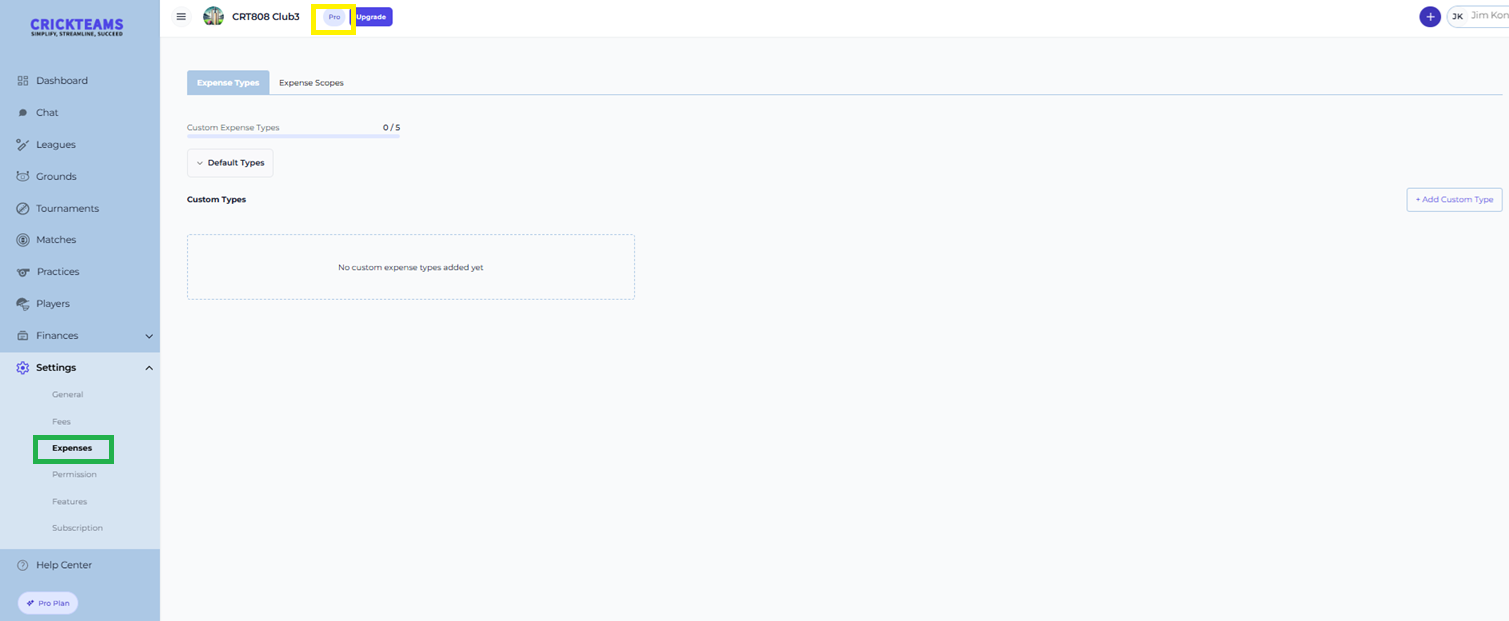
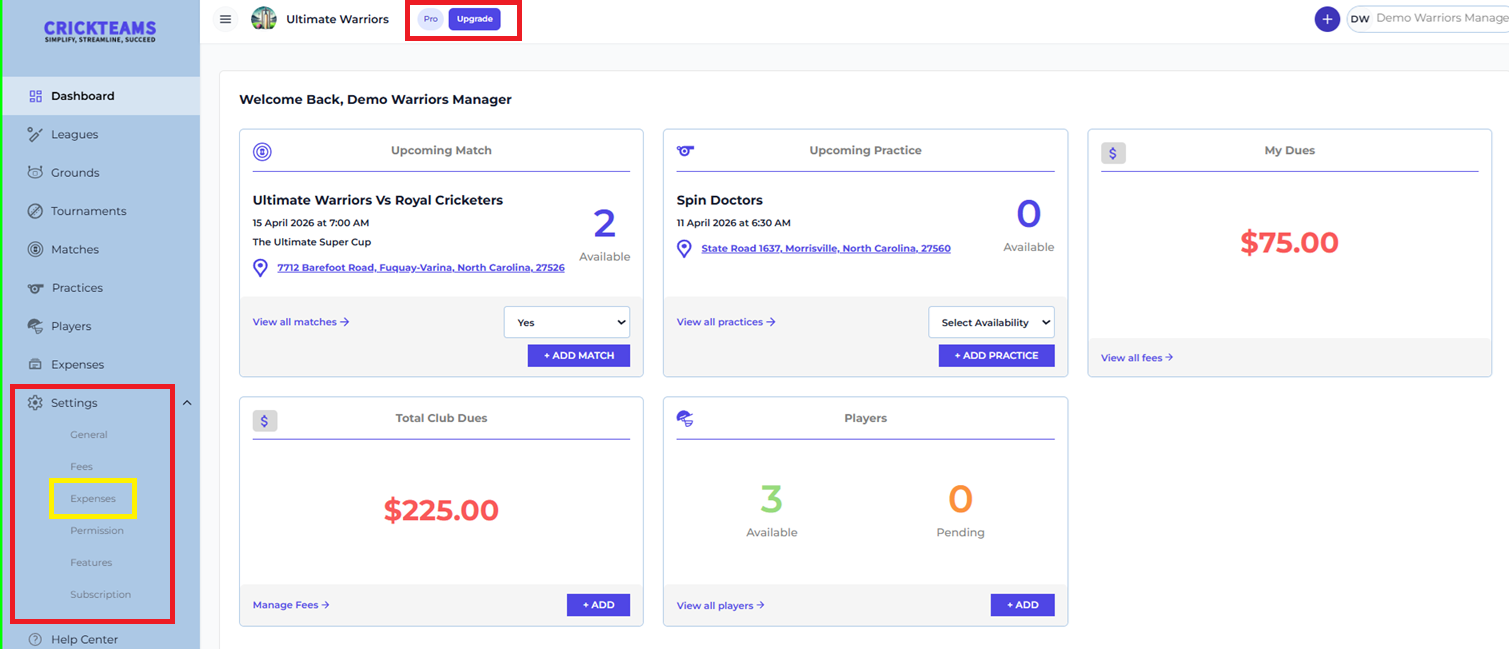
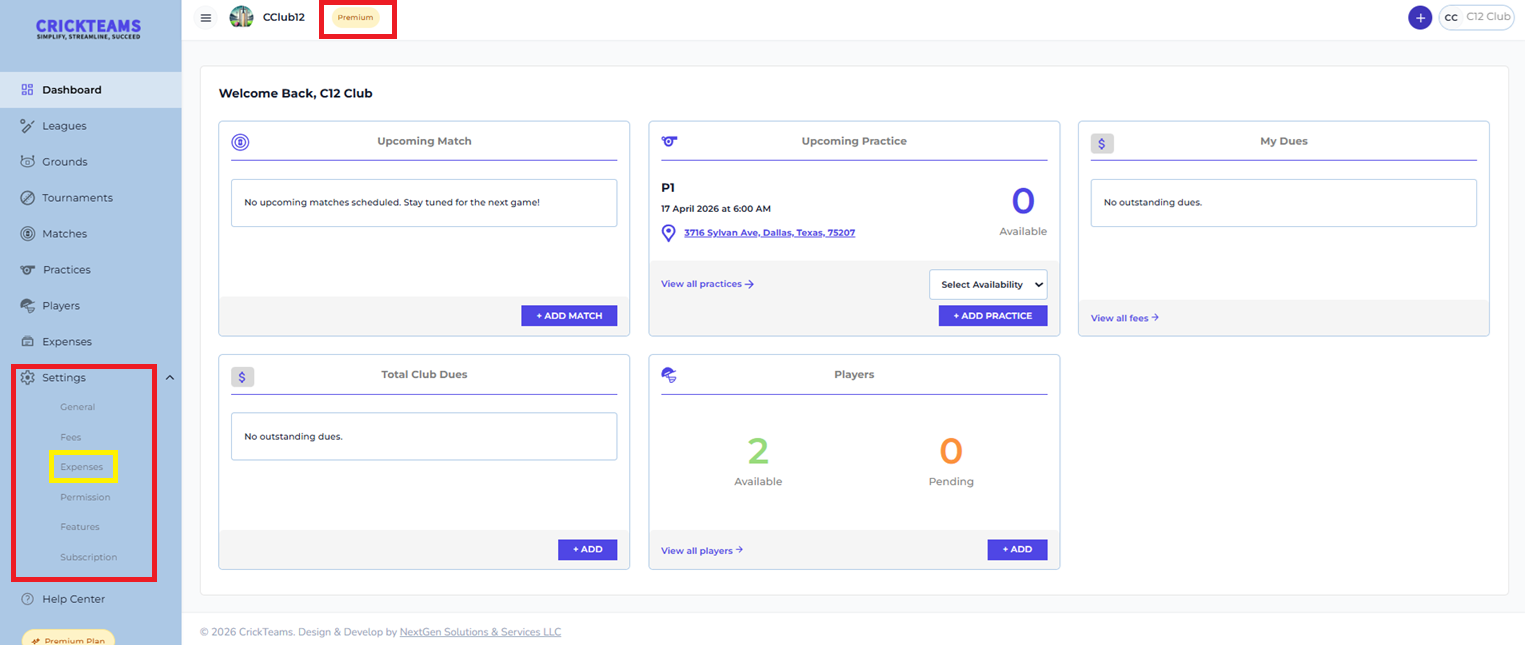
To access Settings — Expenses:
- Log in to CrickTeams as the club treasurer, on a club with a Pro or Premium plan
- Click Settings from the left navigation menu
- Click Expenses from the Settings sub-menu

Plan Availability
Settings → Expenses is only available on CrickTeams Pro and CrickTeams Premium. The table below shows which expense features are available on each plan.
| Feature | Free | Pro ($20/mo) | Premium ($99/mo) |
|---|---|---|---|
| Expense tracking (submit & view) | Yes | Yes | Yes |
| Settings → Expenses (types & scopes) | No | Treasurer only | Treasurer only |
| Custom expense types (up to 5) | No | Treasurer only | Treasurer only |
| Custom expense scopes | No | Treasurer only | Treasurer only |
| Choosing an existing type or scope when submitting an expense | Any member | Any member | Any member |
Expense Types
The Expense Types tab lets the treasurer view the default types and add up to 5 custom expense types. Every expense submitted by a player must have a type assigned.
Default Types
Click the Default Types accordion to expand and view all built-in types. These are always available and cannot be edited or removed.

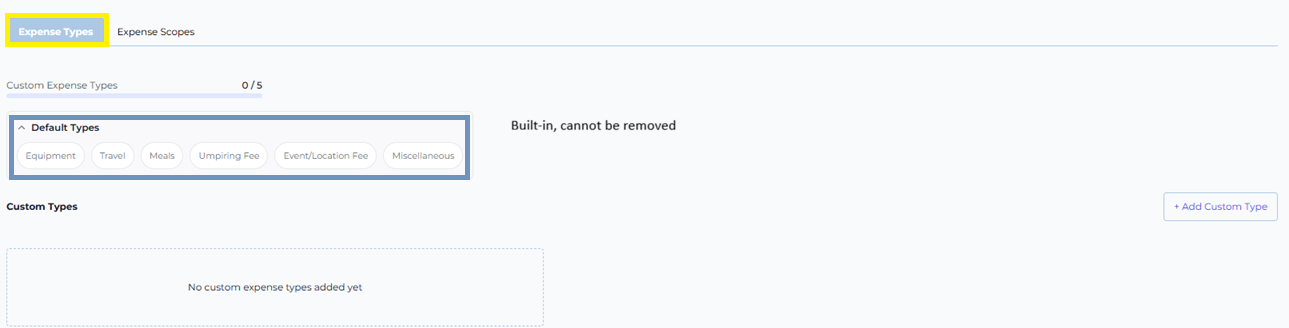
| Default Type | Typical Use |
|---|---|
| Equipment | Kit, gear, or club equipment purchases |
| Travel | Flights, train, taxi, or mileage reimbursement |
| Meals | Food and drink during club activities |
| Umpiring Fee | Match umpire costs |
| Event/Location Fee | Venue hire or event costs |
| Miscellaneous | Any other club expense not covered above |
Adding a Custom Type
The treasurer can add up to 5 custom expense types. Once the limit is reached the + Add Custom Type button is disabled.
- Go to Settings → Expenses → Expense Types tab
- Click + Add Custom Type in the top right
- Type a name in the Enter type name… field (max 30 characters)
- Click Add to save, or Cancel to discard


How Players See Expense Types
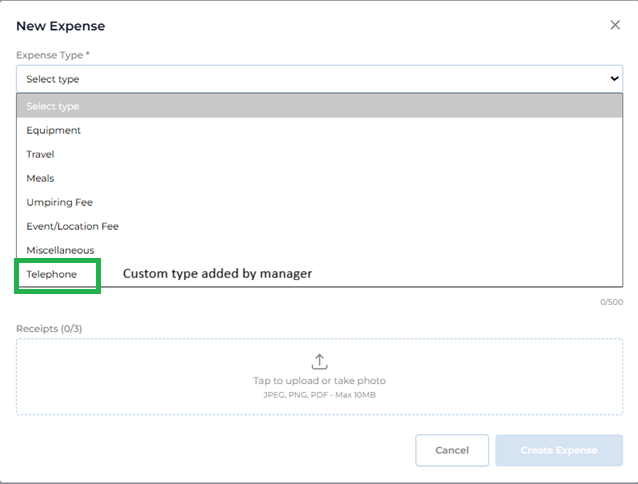
When a player creates a new expense, the Expense Type dropdown lists all default types followed by any custom types added by the treasurer.
Expense Scopes
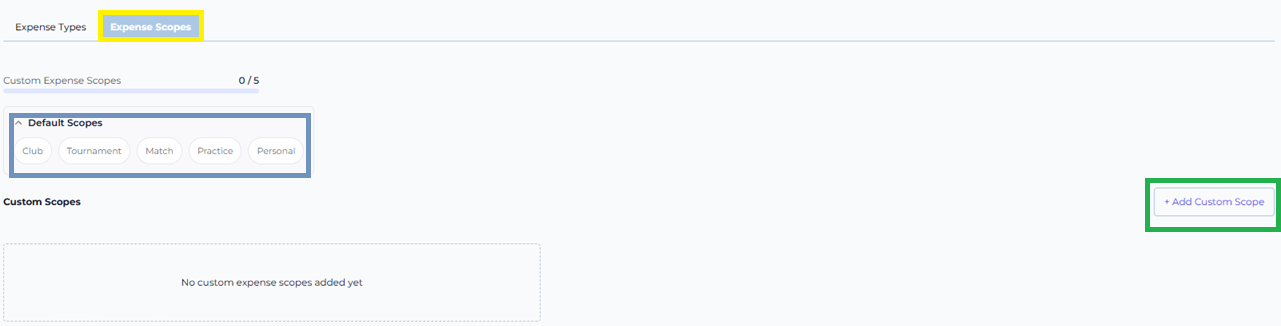
The Expense Scopes tab lets the treasurer view the default scopes and add custom scopes. Scopes define what an expense is attributed to — Club, Tournament, Match, Practice or Personal.
Default Scopes
Click the Default Scopes accordion to expand and view all built-in scopes. These are always available and cannot be edited or removed.
| Default Scope | Use When |
|---|---|
| Club | Expense applies to the whole club |
| Tournament | Expense is tied to a specific tournament |
| Match | Expense is related to a particular fixture |
| Practice | Expense incurred during a training session |
| Personal | Individual player expense |
Adding a Custom Scope
The treasurer can add custom scopes in the same way as custom types.
- Go to Settings → Expenses → Expense Scopes tab
- Click + Add Custom Scope in the top right
- Enter a name and click Add


How Players See Expense Scopes
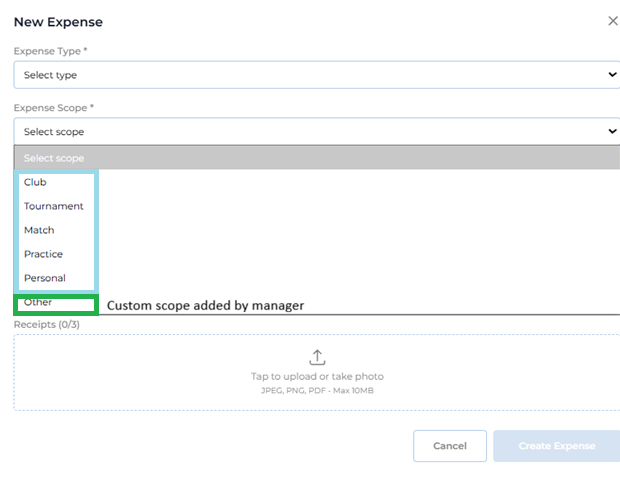
When a player creates a new expense, they select an Expense Scope from a dropdown. Default scopes appear first, followed by any custom scopes.
Validations
CrickTeams enforces the following rules when managing expense types and scopes.
Custom Types
Errors
- Leaving the type name blank
- Entering a name longer than 30 characters
- Entering a duplicate name (case-insensitive)
- Trying to add a new type when the 5-type limit has been reached
Custom Scopes
Errors
- Leaving the scope name blank
- Entering a duplicate name (case-insensitive)
Player Submission
Errors
Players cannot save an expense without:
- Selecting an Expense Type
- Selecting an Expense Scope
Frequently Asked Questions
Why is Expenses missing from my Settings sidebar?
There are three possible reasons, and all three conditions must be met for the page to appear.
- Your plan. Settings → Expenses is only available on CrickTeams Pro and CrickTeams Premium. On the Free plan it never appears. Go to Settings → Subscription to upgrade.
- Your role. Even on Pro or Premium, only the club treasurer sees the page. If you are a club manager but not the treasurer, it stays hidden. Only the club owner can change the treasurer, under Settings → Permission.
- The Expense Tracking toggle. If Expense Tracking has been switched off for the club under Settings → Features, the configuration page is hidden even for a treasurer on Premium.
If you are on Pro or Premium and still cannot see it, check Settings → Permission first — it names the current treasurer, and not being the treasurer is the most common reason.
I’m a manager on Pro — why can’t I add a custom expense type?
Adding custom types and scopes is a treasurer-only action. Being a club manager lets you approve expenses, but configuring the club’s expense categories is part of the treasurer’s money controls. Ask your club owner to assign you as treasurer, or ask the current treasurer to add the type for you.
How many custom expense types can I add?
You can add up to 5 custom expense types per club. The counter at the top of the Expense Types tab (e.g. 0/5) shows how many have been used. Once the limit is reached, the + Add Custom Type button is disabled. Once the limit is reached you will need to upgrade your plan to add more
Can I delete a custom type or scope?
No. Custom type and scope cannot be deleted.
Do players need approval to use a new custom type?
No. Custom types and scopes added by a manager are available to players immediately. There is no separate approval step for types and scopes in Expense Settings.
What is the difference between Expense Type and Expense Scope?
Expense Type categorises what the expense is for (e.g. Equipment, Travel, Meals). Expense Scope defines what the expense is attributed to (e.g. Club, Tournament, Match). Both fields are required when a player submits an expense.
Why can’t a player find the expense type they need?
The type may not have been added yet by the treasurer, or the 5-type custom limit may have been reached. The treasurer can review and manage custom types under Settings → Expenses → Expense Types.
Related articles
- Permissions — Assign the club treasurer and manage club managers
- Expenses — Submit and manage club expenses
- Fees — Create club fees and record payments (treasurer only)
- Players — View player profiles and record payments
- General — Update club profile and invite players
- Subscription — View and manage your plan and billing