
Leagues
On this page
- Overview
- Understanding the Leagues Page
- Custom League Limit
- Adding a Custom League
- Step 1 — Open the Add League form
- Step 2 — Fill in the league details
- Step 3 — Save the league
- Searching for a League
- Filtering Leagues by State
- Deleting a Custom League
- Using Leagues in Tournaments
- Frequently Asked Questions
- Related articles
Overview
Leagues help you organize your tournaments and matches under the correct cricket competition. CrickTeams provides a list of pre-approved leagues, and managers can also create their own custom leagues.
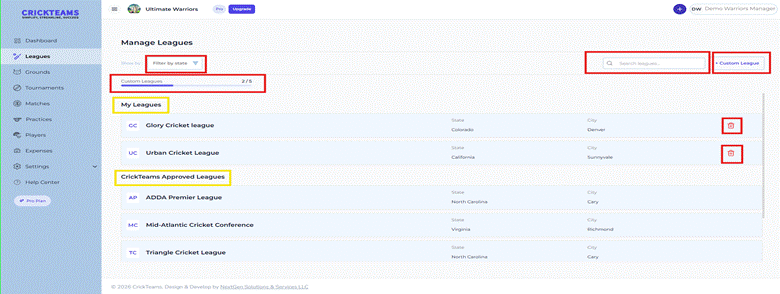
The Manage Leagues page gives you a central place to view, add, search, filter and delete leagues associated with your club.
To access the Manage Leagues page:
- Log in to CrickTeams as a Club Manager
- Click Leagues from the left navigation menu

Understanding the Leagues Page
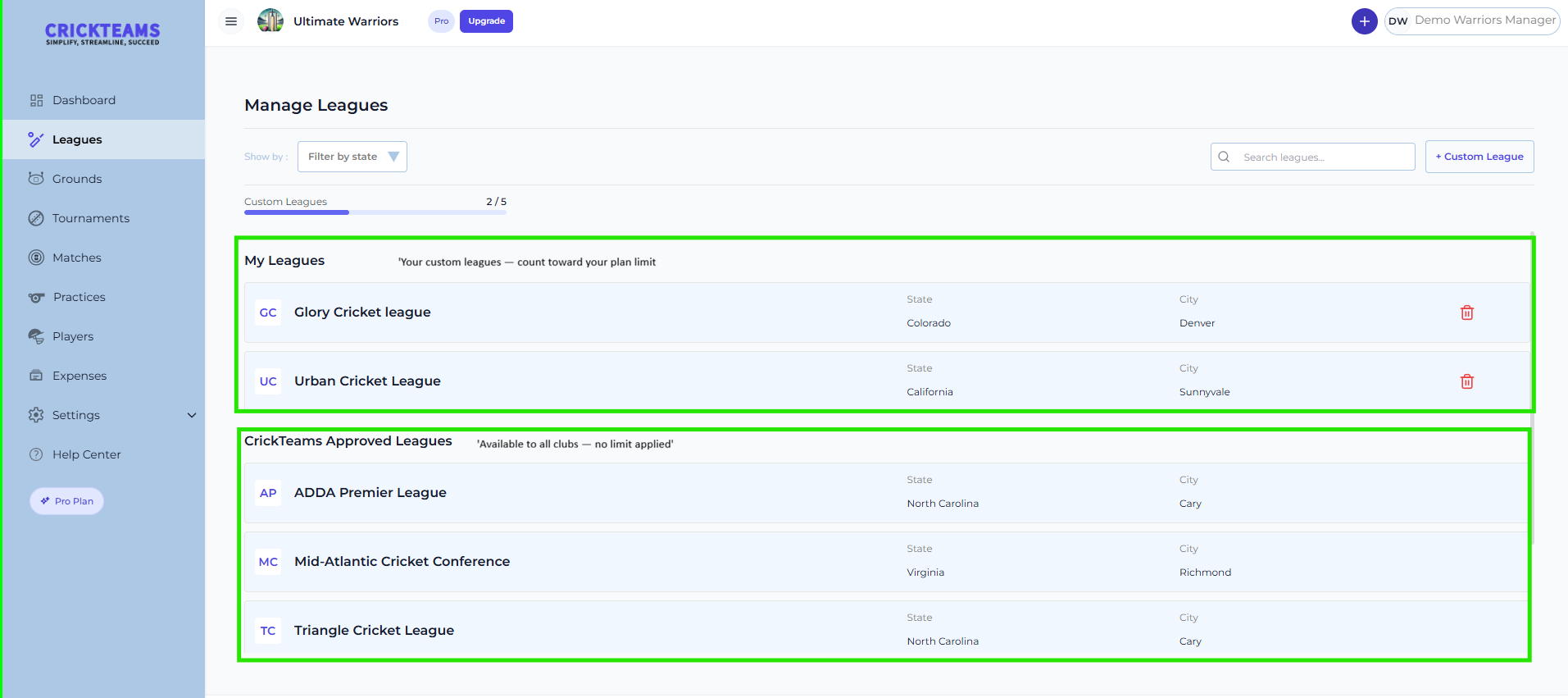
The Manage Leagues page is divided into two sections:
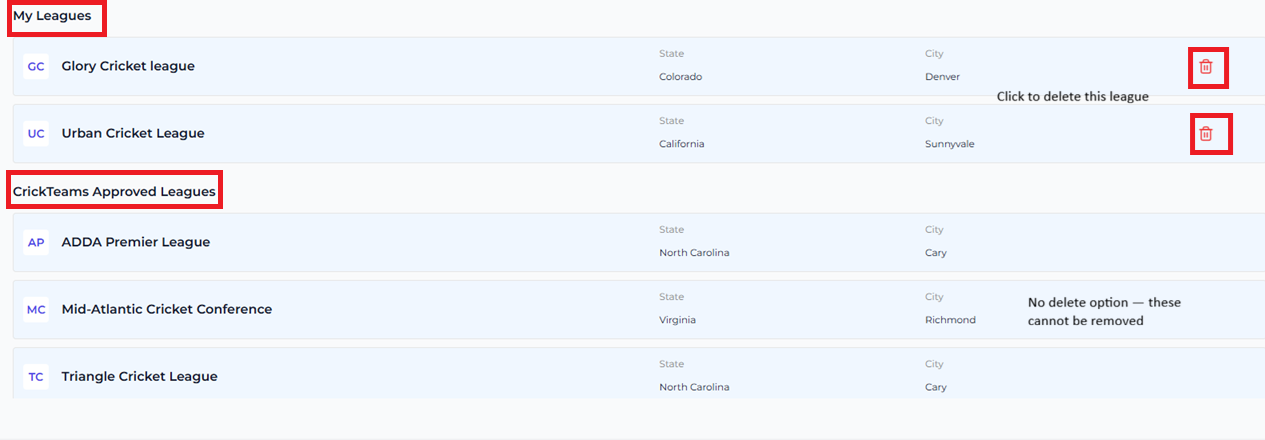
My Leagues
These are custom leagues created by your club. They count toward your plan’s custom league limit shown at the top of the page.
CrickTeams Approved Leagues
These are pre-verified leagues provided by CrickTeams and are available to all clubs. They do not count toward your custom league limit and cannot be deleted.
Custom League Limit
Your CrickTeams plan includes a limit on the number of custom leagues you can create. You can see your current usage at the top of the Manage Leagues page.

- The progress bar shows how many custom leagues you have used out of your total allowed
- If you reach your limit the + Custom League button will be disabled
- To add more custom leagues upgrade your plan by clicking Upgrade in the top navigation bar
Adding a Custom League
If your league is not listed under CrickTeams Approved Leagues you can create your own custom league.
Step 1 — Open the Add League form
- Go to Leagues from the left navigation menu
- Click the + Custom League button in the top right corner of the page
- The Add League form will open

Step 2 — Fill in the league details
Complete the Add League form with the following information:
| Field | Required | Description |
|---|---|---|
| Country | Yes | Select your country — defaults to United States |
| State | Yes | Select the state where the league is based |
| League Name | Yes | Enter the full name of the league |
| City | Yes | Enter the city where the league is based |
| Website URL | Optional | Enter the league website URL if available |
| Zip Code | Optional | Enter the zip code for the league location |


Step 3 — Save the league
- Once all required fields are filled in click Save
- The new league will appear under My Leagues on the Manage Leagues page
- Your Custom Leagues usage count will increase by 1

Searching for a League
You can quickly find any league using the search bar at the top of the Manage Leagues page. Search works across both My Leagues and CrickTeams Approved Leagues at the same time.
- Click the Search leagues… bar at the top right of the page
- Start typing the name of the league
- The list filters in real time to show matching results
- Click on the league you are looking for

Filtering Leagues by State
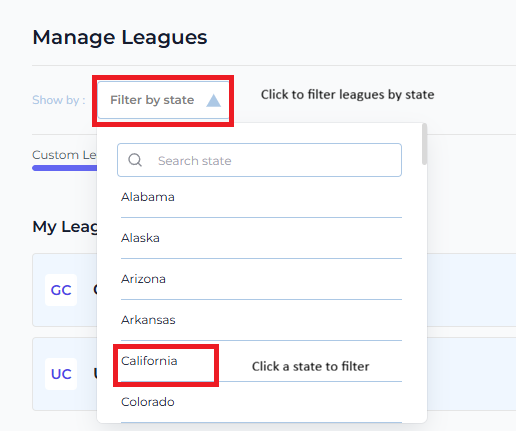
If you have many leagues listed you can use the state filter to narrow down results to a specific location.
- Click the Filter by State dropdown on the left side of the page
- Select a state from the list
- The page updates to show only leagues from that state
- To clear the filter click the dropdown again and select All States
Deleting a Custom League
You can delete any custom league that your club has created. CrickTeams Approved Leagues cannot be deleted.
- Go to Leagues from the left navigation menu
- Find the custom league you want to delete under My Leagues
- Click the red trash icon on the right side of the league row
- Confirm the deletion when prompted
- The league is removed and your Custom Leagues usage count decreases by 1
Using Leagues in Tournaments
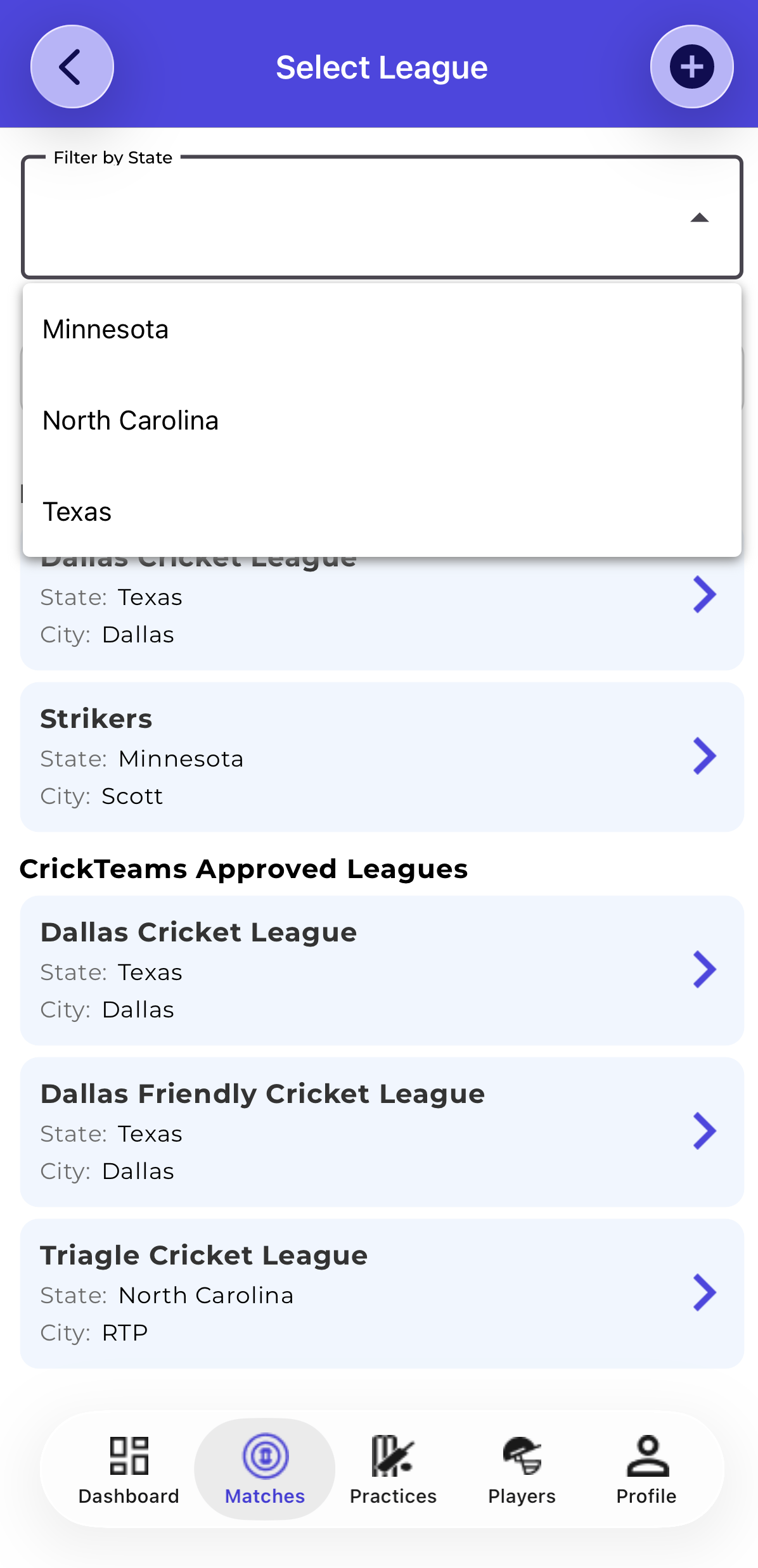
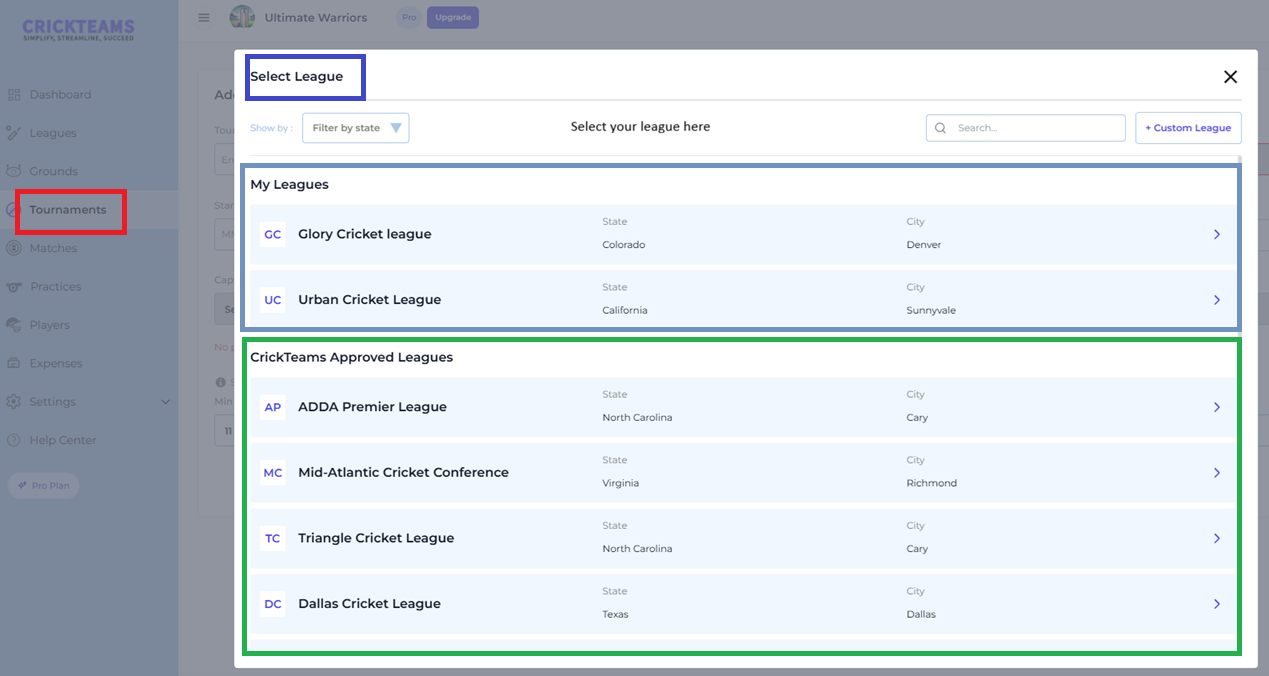
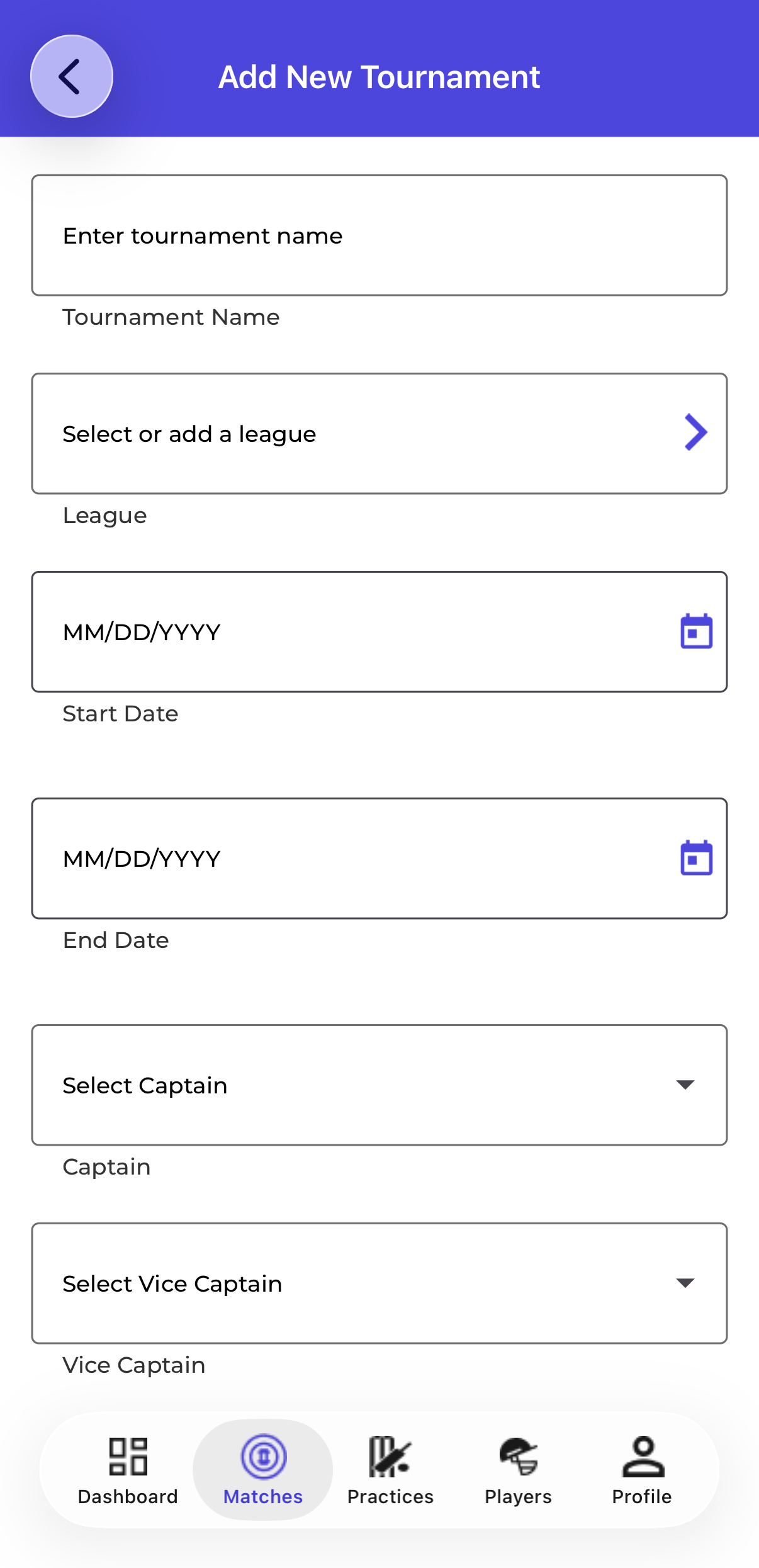
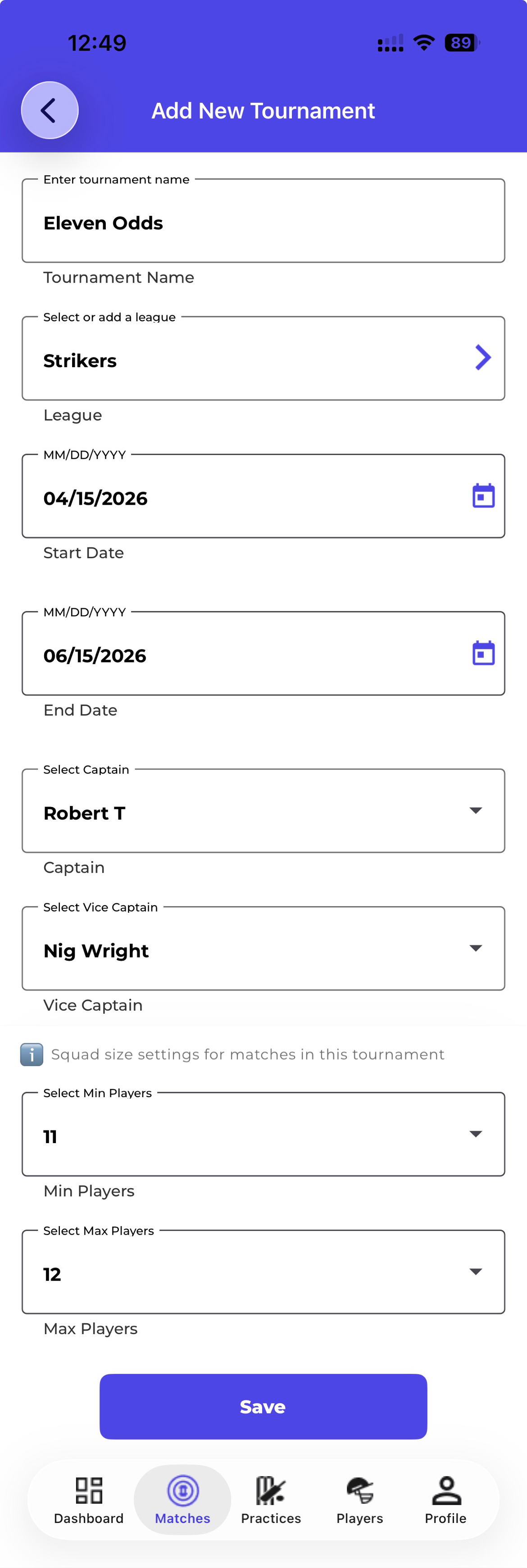
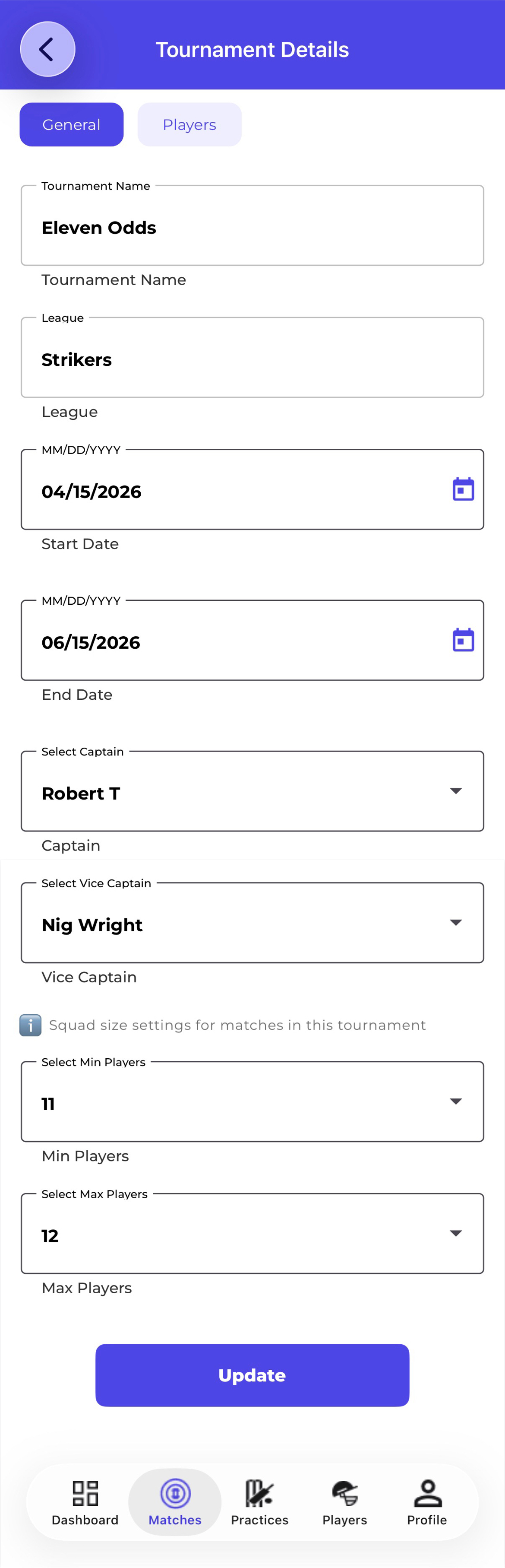
Once your leagues are set up you can assign them when creating or editing a tournament. Both your custom leagues and CrickTeams Approved Leagues will be available to select. On the mobile app this is the only way to select or add a league — there is no Manage Leagues page on mobile. The League field also allows you to create a new custom league directly from the tournament creation screen on mobile.
- Go to Tournaments and click + Add Tournament
- In the League Name field click the dropdown
- Both My Leagues and CrickTeams Approved Leagues will appear in the list
- Select the appropriate league for your tournament
- Continue filling in the tournament details and click Save
Frequently Asked Questions
Can players add or manage leagues?
No. Only managers can add, view and delete custom leagues. Players can see which league a tournament belongs to but cannot manage leagues.
Can I edit a custom league after creating it?
Currently custom leagues cannot be edited after creation. If you need to make a change, delete the league and create a new one with the correct details.
Why is the + Custom League button not working?
You may have reached your plan’s custom league limit. Check the usage bar at the top of the page. Click Upgrade in the top navigation bar to increase your allowance.
What happens to tournaments if I delete a league?
Existing tournaments linked to the deleted league will retain their league information. It is recommended to only delete leagues not linked to any active tournaments.
Can I use a CrickTeams Approved League for my tournament?
Yes. CrickTeams Approved Leagues are available to all clubs and can be selected when creating or editing a tournament. They do not count toward your custom league limit.
How many custom leagues can I create?
This depends on your subscription plan. Your current allowance is shown in the progress bar at the top of the Manage Leagues page. Upgrade your plan to create more custom leagues.
What happens to my leagues when I downgrade my plan?
Oldest leagues stay unlocked up to the new plan limit. Most recently created leagues become locked. Example: downgrade from Pro to Free (limit 2) with 5 leagues → oldest 2 stay unlocked, 3 most recent get locked. Locked leagues show a padlock icon. No data is deleted or lost.
Will my leagues be restored when I upgrade my plan?
Yes, upgrading again will unlock them.
Related articles
- Tournaments — Create and manage your cricket tournaments
- Grounds — Add and manage your cricket grounds
- Subscription — Understand your plan features and limits